

Last updated on September 8, 2026
Yes. You can get a monthly SIDCHG evaluation key from Stratesave’s official page. It is not a permanent license.
Where to get the official SIDCHG trial key
Find Trial key and select x64/x86 or ARM64. Stratesave publishes new keys between the 5th and 10th of each month.
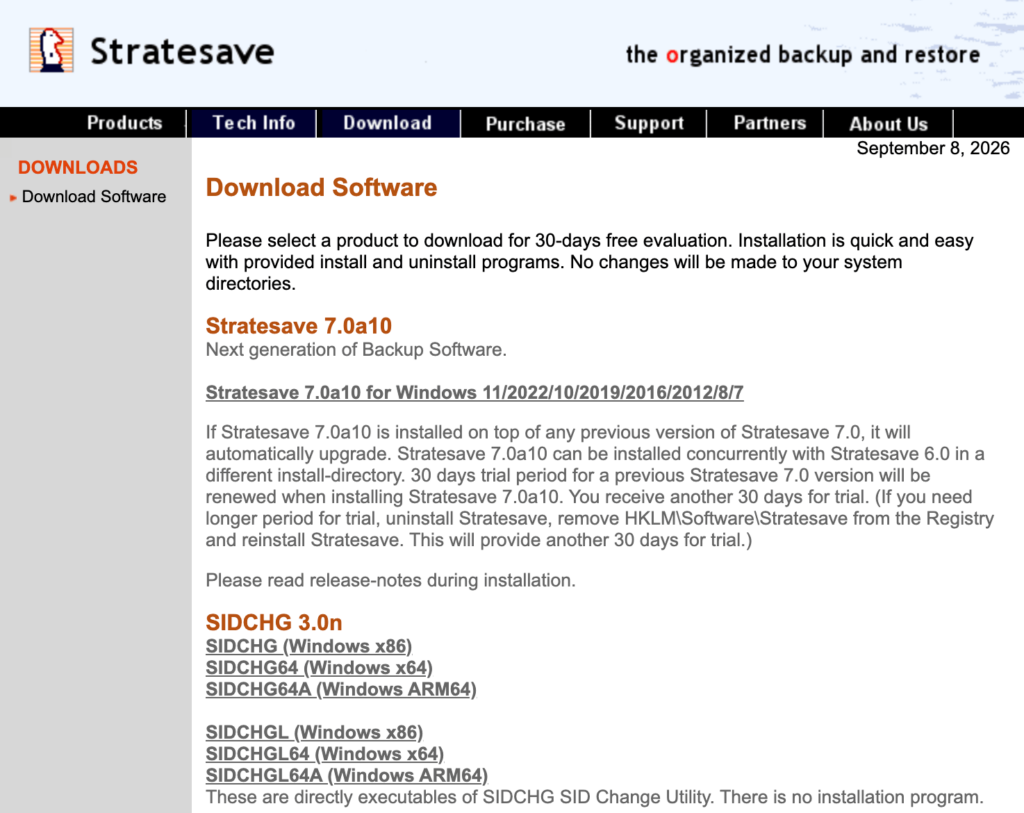
Get the software separately from the Stratesave download page. Its SIDCHG downloads are labeled as follows:
| Your Windows architecture | Download label |
|---|---|
| x86, or 32-bit Windows | SIDCHG |
| x64 Windows | SIDCHG64 |
| ARM64 Windows | SIDCHG64A |
Check your Windows system type before choosing a file. Then keep the download and its matching trial key together for your evaluation. The download page also lists other Stratesave products, so make sure you are selecting SIDCHG.
Use the live vendor page rather than a key copied into an old tutorial. That gives you one place to check the current key and instructions when you return to the task later.
What the evaluation key allows
Stratesave’s evaluation terms distinguish technical functionality from permission to keep using the software:
| Question | Official position |
|---|---|
| How long can you evaluate SIDCHG? | Up to 30 days, for evaluation purposes. |
| Are the trial key’s technical functions reduced? | No. They match the purchased key’s technical functionality. |
| Does expiry undo a completed SID change? | No. The changed SID remains. |
Monthly key availability does not grant indefinite free use. For use beyond evaluation, follow the vendor’s licensing terms.
What to check if your trial key is not accepted
Before retrying, work through this short checklist:
- Return to the official key page. Check the current entry instead of relying on a saved screenshot or an old blog post.
- Check the selected download. Compare the executable you downloaded with the architecture labels above.
- Check your transcription. Compare the characters carefully and remove accidental leading or trailing spaces.
- Record the exact message. A key-entry problem and an operation stopped by a system prerequisite need different troubleshooting.
If the problem continues, contact Stratesave support with the executable name, Windows version, architecture, and exact error text. Avoid posting your purchased key in a public forum. Trying more keys is not a useful response to an unrelated system error.
Before you change a Windows SID
Obtaining a key is only the first step. Before changing a system identifier, make a recoverable backup, keep recovery credentials available, and schedule time to test the result. If you are evaluating on a VM, keep a recoverable copy outside the test instance.
Confirm what you are trying to fix. A sign-in or network-access error alone does not establish that a duplicate machine SID is the cause. Record the original symptom and the checks you will use to judge whether it has been resolved.
You can use Microsoft’s PsGetSid to inspect a computer SID without changing it. Record the relevant computer SIDs before any modification. Do not substitute a user-account SID for this check: whoami /user reports the current user’s SID.
For the actual SIDCHG operation, follow the vendor’s current usage instructions. Its download guidance warns against interrupting the change or signing in while it is running. After completion, verify the SID and test the original issue, application access, and sign-in behavior before expanding the workflow to more machines.
When Wittytool Disk Clone is worth considering
If your immediate task is to evaluate SIDCHG, the official trial route above addresses that need. A different tool becomes relevant when you want a different and easier workflow.
Wittytool Disk Clone combines disk cloning with a graphical Windows SID-change feature. It provides a standalone Change SID tool and a SID-change option within its cloning workflow. This makes it worth considering if you want to manage cloning and SID changes in the same application.
Its SID feature page shows the standalone entry under Tools > Change SID. Use that page to see the interface and workflow before deciding which approach fits your task.
You can download freely the software and give it a try.
Step 1: Navigate to Tools and Click “Change SID“.

Important: Choose whether to keep the current computer name or let the program generate a new random name. If both computers will remain on the same network, avoid leaving them with the same computer name.
Step 2. Review the selected options and click Start when you are ready.
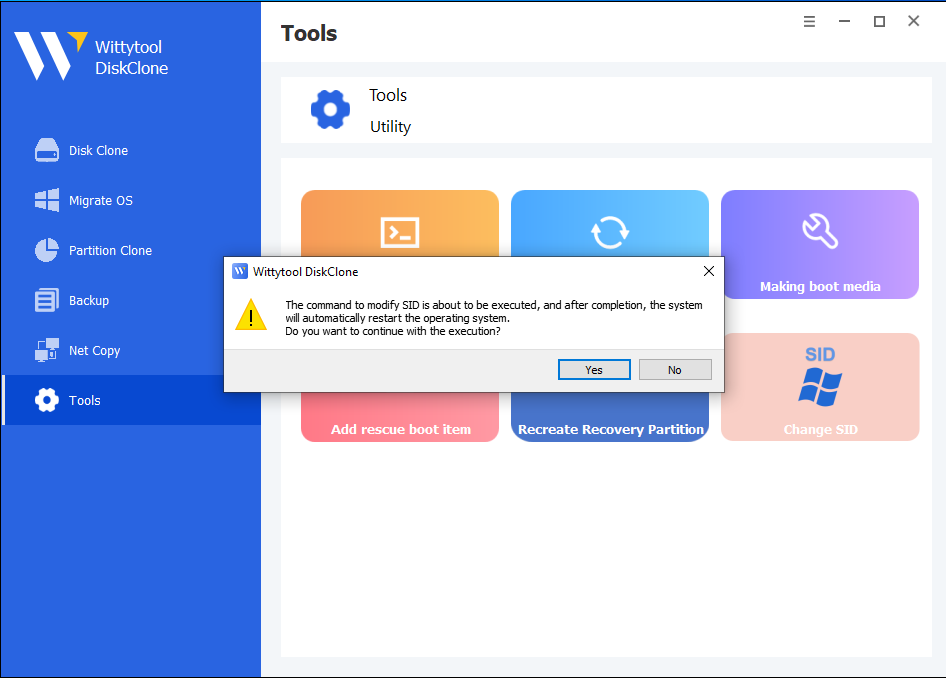
Step 3: The program will uninstall applications that may have permission conflicts.
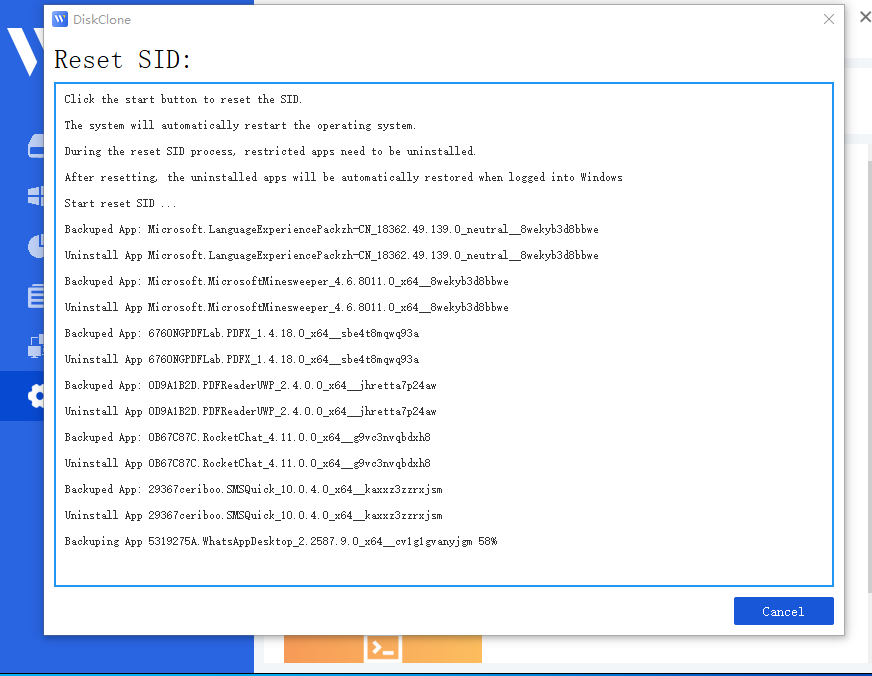
Note: All apps and data are backed up automatically before uninstallation.
Step 4: The system will automatically restart to apply the new SID.

Step 5: Upon logging back in, Wittytool Disk Clone will automatically restore the uninstalled programs and their associated data. Once the restoration is finished, the SID modification process is complete.
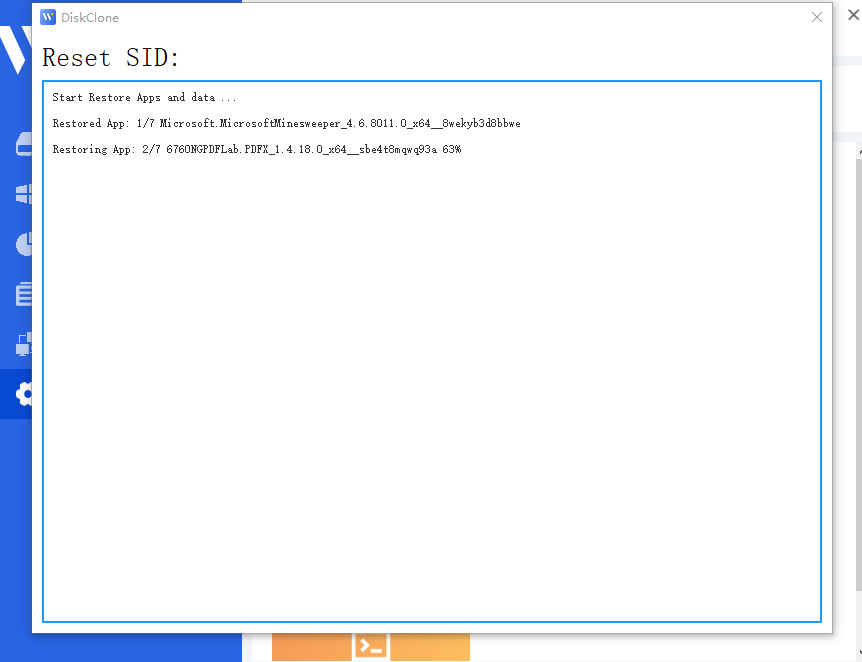
Important Post-Process Notes:
*Local accounts: Your existing local accounts and their settings are preserved. Their SIDs are regenerated as part of the machine SID change.

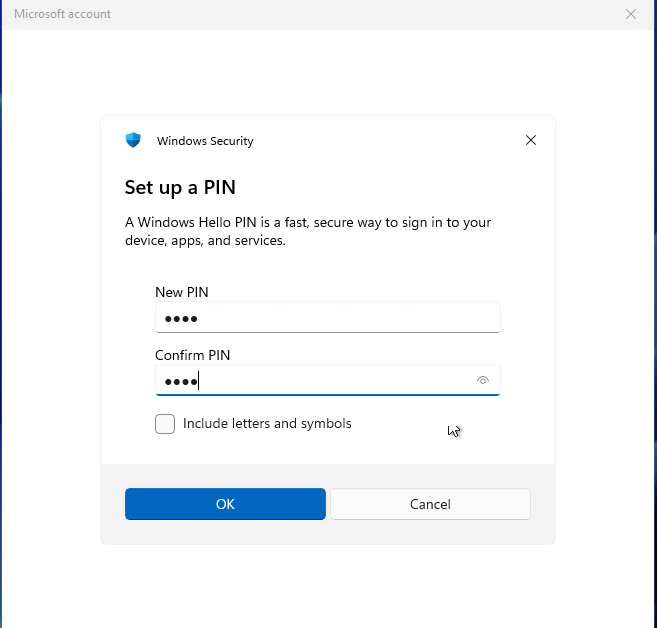
*Microsoft Accounts: If you use a Microsoft account, you will be required to reset your PIN upon your first login after the restart.
Video guide – How to change Windows SID via Wittytool Disk Clone (Full Walkthrough)
Conclusion
Choose around the job you need to complete: official SIDCHG evaluation, a graphical cloning and SID workflow on using Wittytool Disk Clone, or preparation of a reusable Windows image.
Frequently asked questions
Where can I find the current SIDCHG trial key?
In the Trial key section of Stratesave’s official SIDCHG page.
Will my SID revert when the trial key expires?
No. Expiry does not reverse a completed SID change.
Can Wittytool Disk Clone change a SID without cloning the disk again?
Yes. Wittytool Disk Clone includes a standalone Change SID tool, so you can change the SID of your current Windows system without performing another disk clone.
Does a SID change replace Sysprep for deployment?
No. Microsoft requires a Windows image to be generalized before capture for deployment to other computers. A SID change alone does not perform that preparation.