
The Ultimate Windows SID Changer - Wittytool Disk Clone

Clone your system and change SIDs without Sysprep, data loss, or system resets. The fastest non-destructive SID Changer for Windows 11/10 and Windows Server.

*No registration required

*30-Day Money Back Guarantee

The Best SID Changer Tool

Wittytool Disk Clone goes beyond simple cloning. We’ve fixed the flaws of legacy CLI utilities to provide the most reliable way to change SID Windows 11/10 without Sysprep while keeping your environment 100% intact.

Advanced SID Changer

Advanced SID Changer

Automatically generates a unique Security Identifier (SID) for every clone to ensure zero Active Directory or WSUS conflicts.

Intelligent Computer Renaming

Intelligent Computer Renaming

Change Hostnames and SIDs in one workflow to prevent NetBIOS and DNS naming collisions.

Total Data Preservation

Total Data Preservation

Unlike Sysprep, Wittytool maintains all local user accounts, desktop settings, and specialized software configurations.

Enterprise-Grade Security

Enterprise-Grade Security

A Digitally Signed application that works seamlessly with Windows Defender and modern security hardening (Kerberos/NTLM).

Modern GUI (Click, Don't Code)

Modern GUI (Click, Don't Code)

Unlike some other tools which require complex command-lineparameters, Wittytool offers a clean, intuitive interface that anyone can use.

Modern App Compatibility

Modern App Compatibility

Fully supports UWP (Microsoft Store) apps, ensuring they remain functional after the SID change.

Wittytool vs. The Alternatives

Why Wittytool SID Changer is the Smarter Choice


Features

Microsoft Sysprep

Traditional CLI

Wittytool Disk Clone

How to Change Windows SID in 3 Easy Steps

Step 1. Launch Wittytool Disk Clone

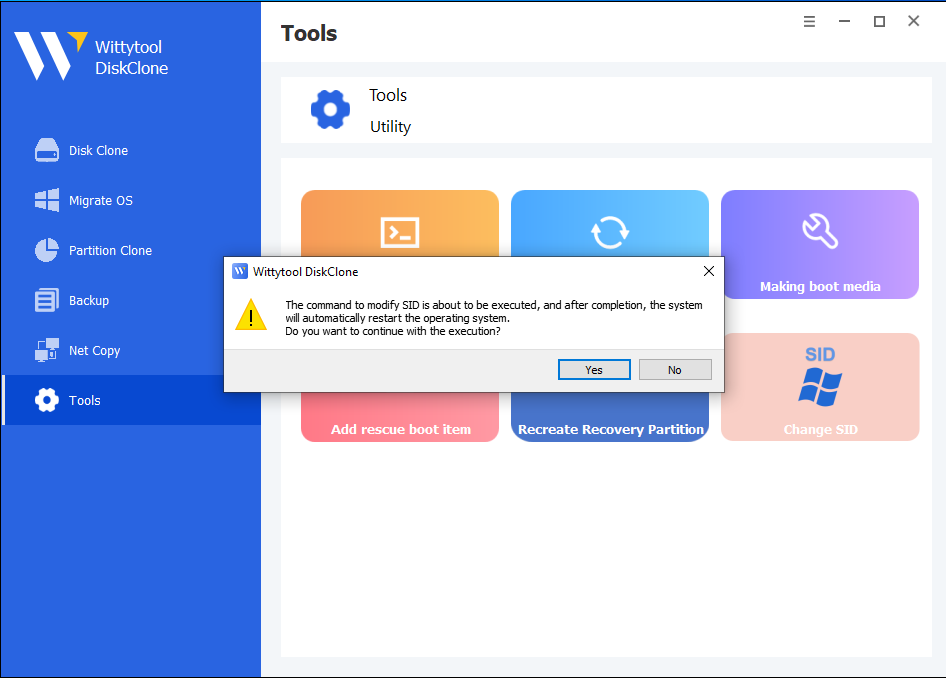
Go to Tools → Change SID from the left menu.

Step 2. Confirm and Run

When prompted, click Yes to start the SID change process.

Step 3. Reboot and Check

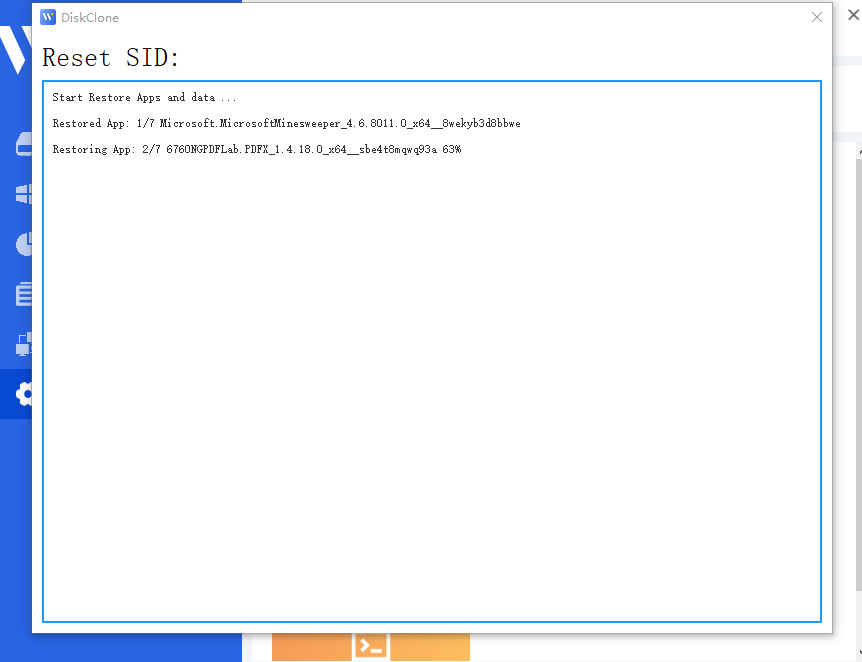
The system will restart automatically and apply the new SID.

Top Use Cases Solved by Wittytool SID Changer

Understanding when and why to change a SID is critical for network stability.
Here is how Wittytool Disk Clone solves the most common deployment challenges

it mass deployment

Case 1. Standardizing Corporate IT Environments

The Scenario: A company requires 100 PCs with identical software configurations but unique identities within the domain network.

The Problem: Manual setup is too slow, and standard cloning causes SID/Name conflicts. Sysprep is rejected because it wipes the pre-configured environment.

Wittytool Solution: Create one "Master PC" and clone it to the rest. Wittytool automatically handles SID and Name changes, delivering identical software setups with distinct network footprints.

Case 2. Rapid VM Cloning & Management

The Scenario: A System Admin needs to deploy 50 unique Virtual Machines from a single "Golden Image" in VMware or Hyper-V.

The Problem: Duplicate SIDs cause WSUS and Intune to misidentify 50 VMs as a single device. Sysprep's "generalization" wipes the template's custom admin tools.

Wittytool Solution: Regenerate unique SIDs and MachineGuids during the clone. Get 50 network-unique VMs while keeping your master template settings perfectly intact.

vm management

Case 3. Fixing Active Directory Trust Failures

The Scenario: A workstation cannot join the domain due to a "Trust relationship failed" error caused by a duplicate SID.

The Problem: Fixing this usually requires a time-consuming OS reinstallation to reset the machine's underlying security identity.

Wittytool Solution: Perform a surgical SID update on the existing OS. Resolve domain identity conflicts in minutes without losing local user profiles or files.

active directory

Case 4. Deploying Licensed Professional Software

The Scenario: Deploying PCs for Engineering or Medical departments with complex software like AutoCAD or proprietary databases.

The Problem: These apps have strict licensing tied to the OS state. Sysprep resets the system, often breaking expensive software registrations and custom configurations.

Wittytool Solution: Apply a non-destructive SID change. Wittytool updates security identifiers without triggering a system reset, keeping your specialized software registered and ready.

deploy licensed software
Thumb 1Thumb 2Thumb 3Thumb 4Thumb 5Thumb 6

Testimonials

Technical Specifications

Operating Systems Supported:

Windows 11/10/8/7
Windows Server 2022/2019/2016/2012/2008/2003

Files Systems Supported:

FAT(FAT12,FAT16,FAT32) ext2/ext3/exFAT/NTFS/NTFS5

Hardware Requirements:

Disk Space: 32MB minimum space for program installation
CPU: at least with x86
RAM: at least 128MB

Frequently Asked Questions

Recent updates like KB5065426 cause sharing failures on duplicate SIDs. Wittytool fixes this by surgically changing the SID without the destructive “generalize” process of Sysprep. You keep all your custom settings, updates, and configurations while gaining a unique network identity.

No. Unlike Sysprep, which triggers a factory reset (OOBE), Wittytool only modifies the core registry identifiers. Your files, installed programs, and personalized desktop settings remain 100% untouched.

This error is caused by duplicate SIDs in Active Directory. Wittytool resolves this by generating a unique SID for each clone, allowing them to join the domain seamlessly without requiring a clean OS reinstallation.

Yes. Wittytool is fully updated to support the latest security descriptors in Windows 11 and Windows Server 2022/2025, ensuring stable performance even after the latest cumulative updates.