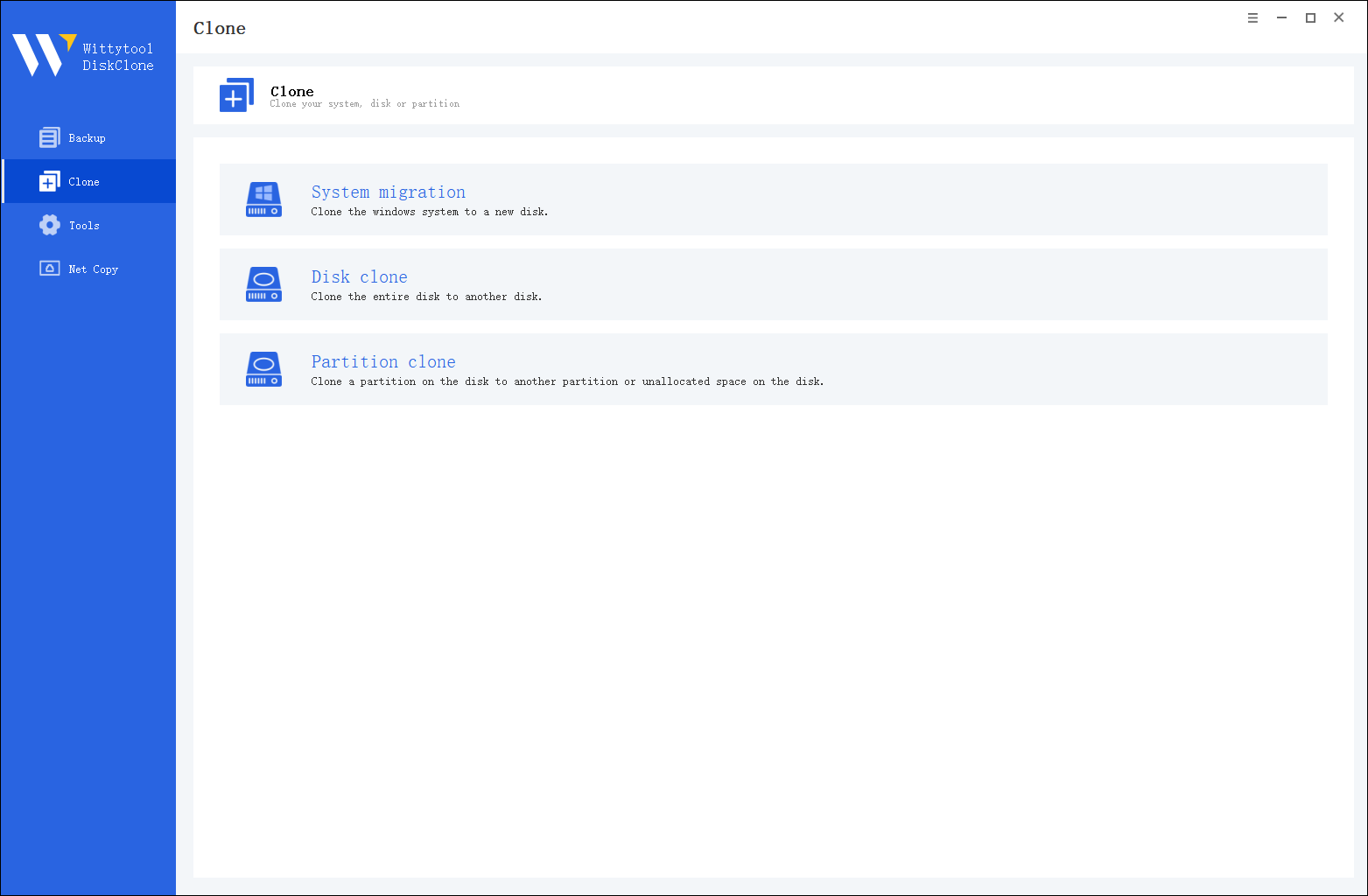

Wittytool Disk Clone
Broad Compatibility: Works with all major SSD types (SATA, NVMe, M.2) and brands.
Exact Replica Creation: Utilizes sector-by-sector cloning for a perfect, bootable copy.
Optimized Performance: Automatically aligns partitions to ensure your new SSD runs at peak speed.
*Windows 11/10/8.1/8/7
Wittytool DiskClone helps you clone your hard drive or migrate your system to a new SSD for a faster computer, all with zero hassle.
Upgrade your computer’s performance by replacing your old hard drive with a faster SSD. WittyTool SSD cloning software makes it simple to clone HDD to SSD or transfer your system to a new computer - compatible with leading brands such as Samsung, WD, Crucial, and Kingston, including the latest NVMe PCIe 4.0 and 5.0 models.
Running out of space? Clone your current SSD to a higher-capacity SSD easily with WittyTool Disk Clone. Whether you choose a SATA or NVMe SSD (from 250GB to 4TB+), our tool ensures a smooth and successful cloning process. You can even clone a larger HDD to a smaller SSD, as long as the target drive has enough space for your data.
Enjoy faster boot times and smoother system performance by migrating your OS to an SSD - without reinstalling Windows. WittyTool SSD cloning tool seamlessly transfers your Windows OS (including Windows 10/11) from an HDD to an SSD, so you can start up faster and keep working without interruption.
Accelerate your system with the latest in storage technology. M.2 NVMe SSDs deliver exceptional speed - ideal for gaming, content creation, and high-performance computing. WittyTool Disk Clone helps you clone your existing SATA SSD to an M.2 NVMe SSD effortlessly, boosting speed and reliability while preserving all your data and system settings.
This video walks you through the entire process of safely and efficiently cloning your drive using the WittyTool SSD cloning tool.
WittyTool Disk Clone supports all major disk brands: Clone a Seagate HDD; migrate to a Samsung SSD; upgrade a Western Digital drive. Full compatibility guaranteed.
Whether you're upgrading from a traditional hard drive or a high-speed NVMe SSD, WittyTool Disk Clone is engineered to support every major disk type for a seamless cloning experience.
WittyTool Disk Clone ensures broad interface compatibility:
• Full support for legacy (IDE) and modern (PCIe/NVMe) drives
• Optimized for desktops, laptops, and external enclosures
• Fast and safe operation across all connected storage devices
1. Network Clone: Use the network clone function to transfer disks between computers over a LAN, ideal for efficient IT management and multi-device maintenance.
2. System Migration: Move your OS, apps, and settings to a new drive without reinstallation.
3. Clone to an External Drive: Also as a USB clone tool, it can duplicate your internal drive to an external one to free up space, prepare for a drive replacement, or create a data archive.
Unlock the full potential of WittyTool Disk Clone to manage your data, upgrade your system, and safeguard your information with unparalleled flexibility.
Operating Systems Supported:
Windows 11/10/8/7
Windows Server 2022/2019/2016/2012/2008/2003
Files Systems Supported:
FAT(FAT12,FAT16,FAT32)
NTFS
Hardware Requirements:
Disk Space: 1GB or higher memory
CPU: at least with x86
RAM: at least 1GB


I'm not tech-savvy and was dreading moving to a new laptop. WittyTool was a lifesaver! The process was stupidly simple - just pick the drives and go. It worked perfectly on the first try. Took a while, but worth it.
Cloned my old HDD to a new SSD to speed up my PC. WittyTool made it so easy, even when going to a smaller drive. The difference is night and day! Boots in seconds now. Money well spent.
Saved me from re-downloading 2TB of games! Cloned my game drive perfectly. All my games and saves worked immediately. A must-have for any gamer doing a storage upgrade.
A free cloning tool failed me. My friend recommended WittyTool and the difference was huge. It just worked without any issues. The verification step is a great touch. So much more reliable.
More than 6 years of experience, Over 10 million customers trust Wittytool.
WittyTool Disk Clone is the go-to solution for all enterprise hard drive cloning needs.
Updated on Nov 23, 2025 by Wittytool Team
Yes, cloning an SSD is a standard and reliable process to upgrade your storage or create a full-disk backup. It’s recommended to use dedicated cloning software for a successful and error-free transfer.
Windows 11 does not include a native tool specifically for drive cloning. While it has backup features, they are not designed for creating a direct, bootable copy of a drive. For this purpose, a third-party cloning utility is necessary.
The best software is typically easy to use, reliable, and supports a wide range of drives. Look for tools that offer features like system migration and flexibility in handling different cloning scenarios. Many users find WittyTool Disk Clone to be an excellent solution that meets these criteria.
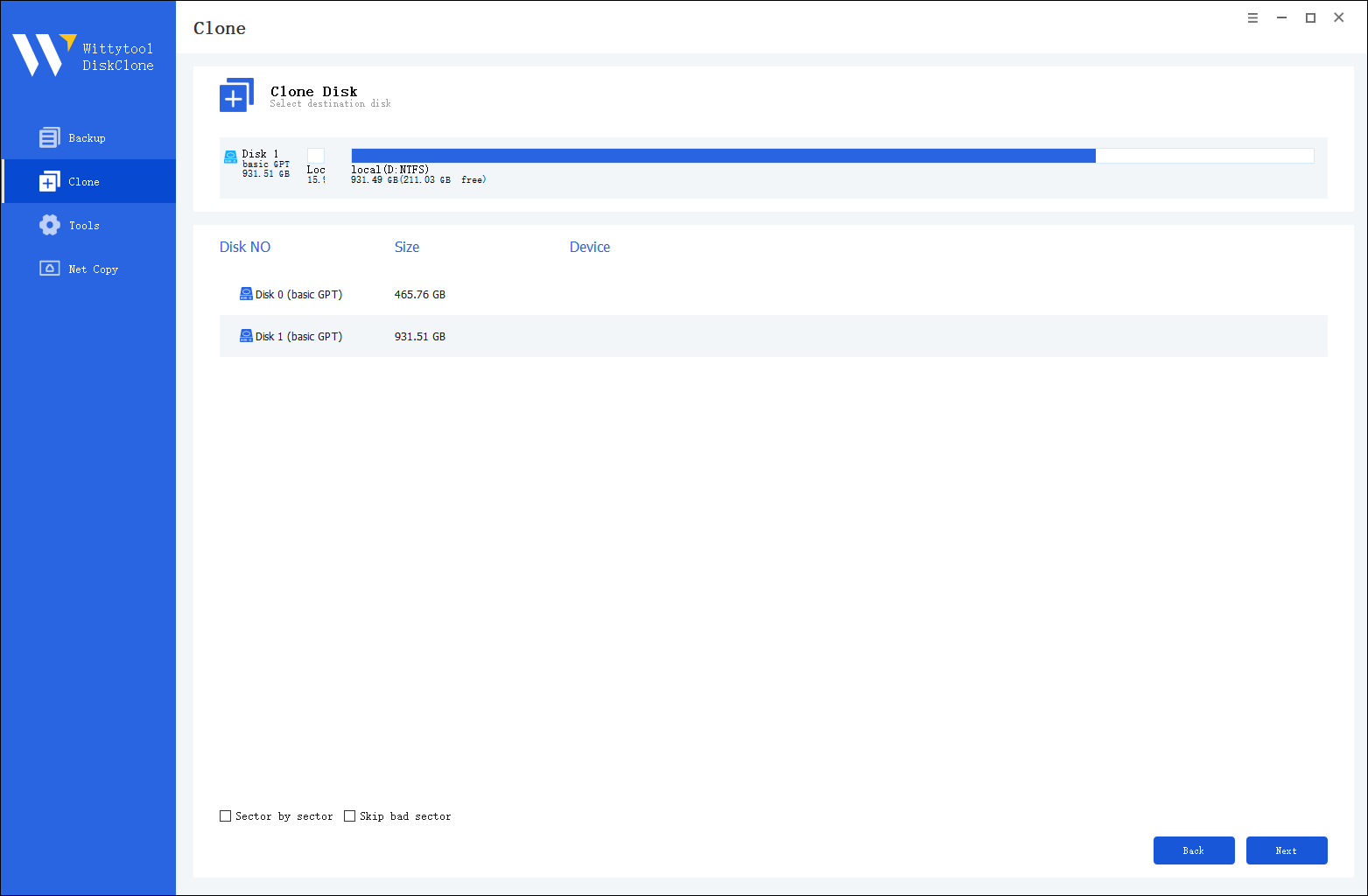
You can clone your Windows 11 system easily in three steps: 1) Connect your new SSD to the computer. 2) Use WittyTool Disk Clone to select your current OS drive as the source and the new SSD as the target. 3) Start the clone process and boot from the new SSD once done.
The process is similar to cloning to a same-size drive. Good cloning software will automatically recognize the larger capacity and adjust the partition sizes to utilize the full available space, making the upgrade seamless.
Disk cloning is the most effective method. It creates a perfect, bootable replica of your original SSD. Using cloning software ensures that your operating system, programs, and personal files are all transferred intact to the new drive.