


Wittytool Disk Clone, ManageEngine OS Deployer, SmartDeploy, Macrium SiteDeploy, FOG Project, and Clonezilla Lite Server or SE are worth considering as Acronis Snap Deploy alternatives for Windows image deployment. Each can help distribute a prepared operating system environment, but they differ in image preparation, deployment control, hardware handling, and the infrastructure your team operates.
We recommend Wittytool Disk Clone when you want to reproduce an already configured Windows setup, retain its applications and accounts, and include target SID changes in the deployment. Other candidates become more relevant when your priority is scheduled tasks, remote delivery, a managed image library, or an open-source imaging service.
We compare documented product workflows and features across six alternatives so you can build a shortlist around the work you need to complete.
Six Acronis Snap Deploy Alternatives and Their Deployment Approaches
| Product | Image preparation | Deployment emphasis | How your team operates it |
|---|---|---|---|
| Wittytool Disk Clone | Back up a configured Windows system without running Sysprep first | Network image deployment with optional target SID changes | Graphical server/client workflow, automatic or manual deployment, progress monitoring, and AI Disk Assistant |
| ManageEngine OS Deployer | Capture an image and organize drivers and deployment templates | Scheduled tasks, target-specific configuration, and remote-office deployment | Central console with templates, tasks, and target-selection settings |
| SmartDeploy | Build a reference VM, capture an image, and add Platform Packs | Model-specific drivers and delivery to local or remote Windows devices | Image, driver, application, and deployment settings managed through its platform |
| Macrium SiteDeploy | Create and maintain golden images in Golden Image Stores | Central image management and repeatable deployment | SiteManager platform, image stores, and deployment media |
| FOG Project | Capture images into a self-hosted imaging environment | Host and group management with network imaging | Linux-based server and web console with PXE booting |
| Clonezilla Lite Server or SE | Create Clonezilla images for batch restoration | Applying an image to multiple computers, including multicast workflows | A Lite Server environment or a DRBL-based Server Edition setup |
The choice is easier when you compare how the tools solve the same deployment problem. A product with extensive task configuration may suit one team, while another benefits more from directly capturing a Windows environment that already works.
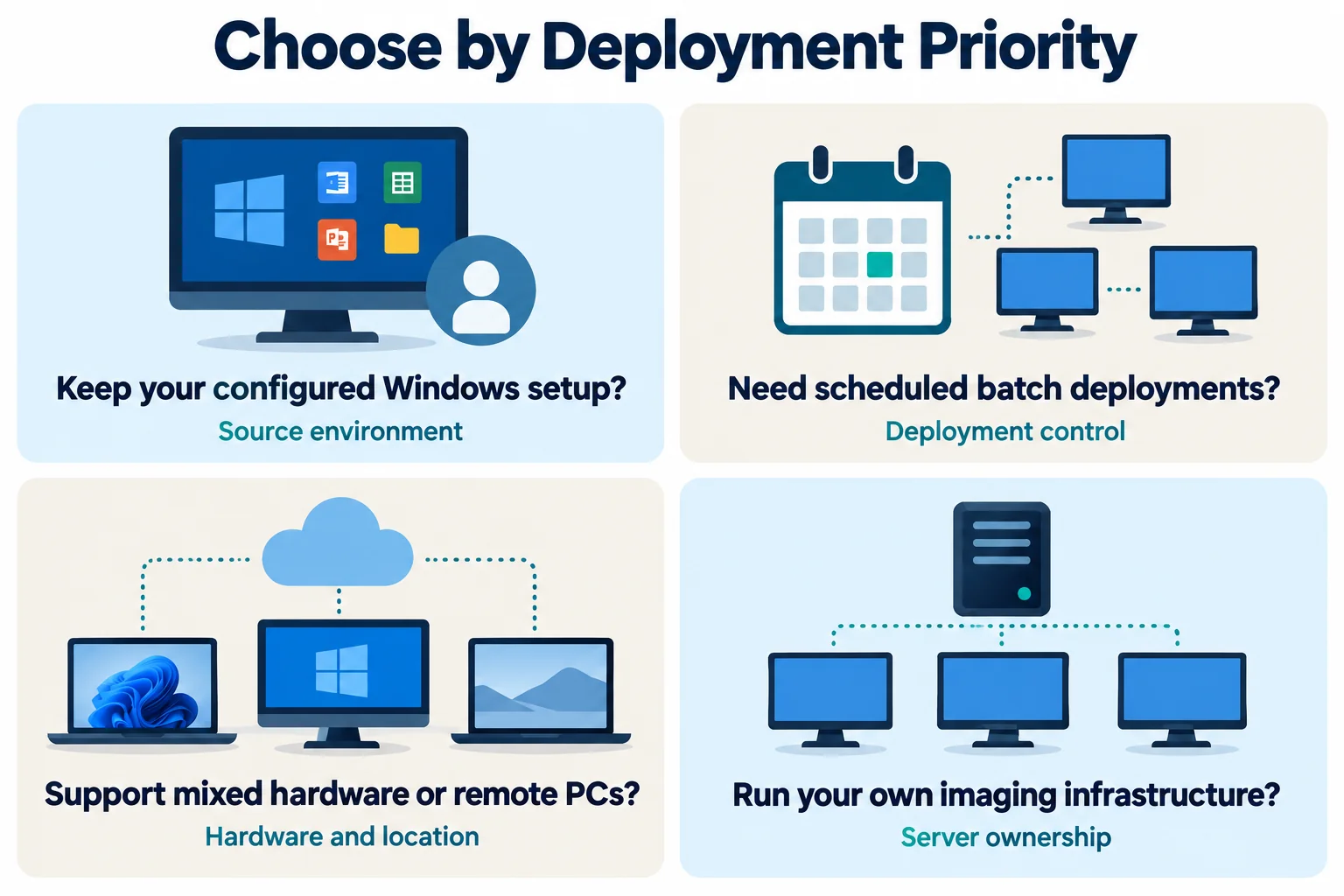
Image Preparation and Application Preservation
Wittytool Disk Clone is a strong choice when the most valuable part of your deployment is the Windows environment you have already configured. Business applications, local accounts, Microsoft Store apps, and settings can be included in a backup image and carried to the target PCs. You can create that image without running Sysprep first.
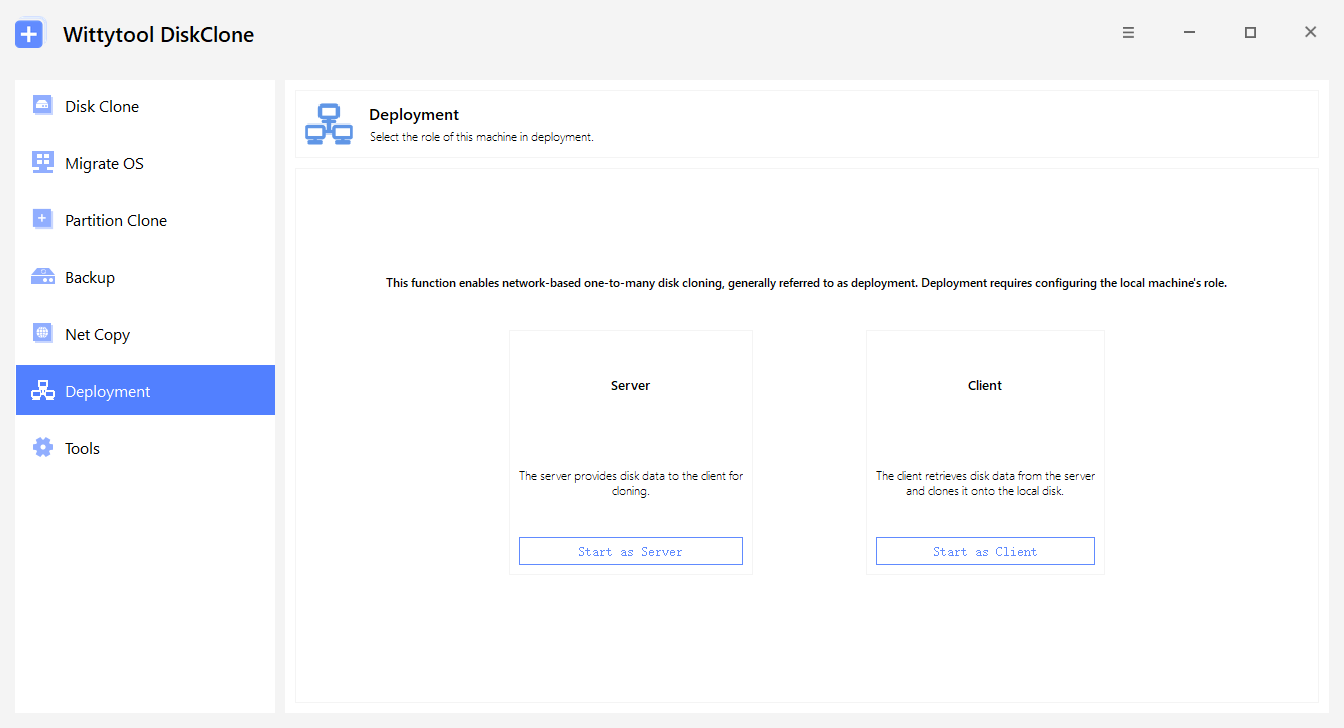
Our batch image deployment feature connects that source-system backup to a graphical network deployment process. This is useful when you want to reproduce a working office or classroom environment without rebuilding its applications and accounts as separate installation tasks.
If keeping your configured applications and accounts is central to the decision, download Wittytool Disk Clone and evaluate those requirements on representative, backed-up PCs. You can assess environment preservation and target SID handling together before committing to a larger deployment.
SmartDeploy takes a reference-image approach. Its documented process begins with a virtual machine, followed by image capture, Platform Packs, and deployment settings. That model is relevant when you prefer to maintain a controlled reference environment and handle hardware-specific drivers separately.
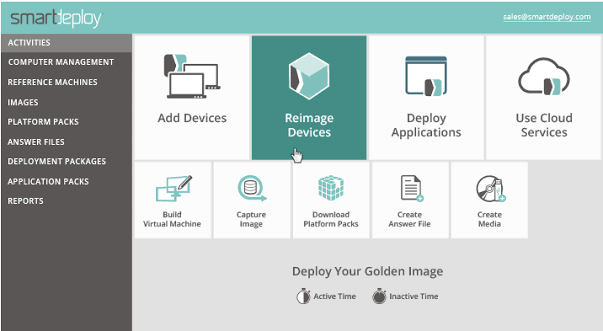
Macrium SiteDeploy centers image preparation on golden images and their stores. The appeal is a managed image library that administrators can maintain and deploy repeatedly. FOG and Clonezilla also capture and restore prepared images, with preparation and maintenance organized around their respective server or batch-imaging environments.
For retaining an established Windows setup, we would put Wittytool Disk Clone first on the shortlist. For a reference image paired with a driver-pack library, SmartDeploy deserves particular attention. For centrally maintained golden images, assess Macrium SiteDeploy.
Image formats remain a practical selection condition: Wittytool Disk Clone requires disk or system images created by Wittytool Disk Clone. Do not assume that an Acronis archive is directly interchangeable with another product’s deployment image.
Deployment Control and Repeated Rollouts
ManageEngine OS Deployer is a relevant alternative when your deployment process depends on reusable configuration and planned execution. Its task workflow includes deployment templates, target selection using methods such as MAC addresses or passcodes, scheduling, and unicast or multicast deployment. Its documented multicast method is available for on-premises environments.
That combination matters when different groups need different configurations or when deployment must start during a maintenance window. The product gives administrators a task model for coordinating those requirements alongside image distribution.
Macrium SiteDeploy addresses repeated deployment through centralized image stores and centrally initiated or endpoint-initiated deployment. Assess it when the main administrative job is keeping the correct golden images available and deploying them through a shared management environment.
Wittytool Disk Clone offers automatic and manual deployment modes. You can use server-defined target settings for automatic deployment or select the destination through the client workflow. The server displays client MAC addresses, IP addresses, status, and progress, giving technicians a view of the batch while restoration runs.
The open-source candidates differ from each other here. FOG manages hosts, groups, images, and deployment tasks through a web interface, making it relevant to an imaging service used regularly. Clonezilla Lite Server or SE is especially relevant when the task is restoring a prepared image to a batch of computers. Both provide multicast imaging routes, with their own network and session requirements.
For scheduling and target-specific task configuration, prioritize ManageEngine OS Deployer in your evaluation. For a graphical batch deployment with target SID handling, prioritize Wittytool Disk Clone. For self-managed host and image administration, FOG is the closer candidate to examine; for batch restoration, examine Clonezilla’s server forms.
Hardware Coverage and Remote Deployment
SmartDeploy has a clear role when your computers include multiple hardware models or sit outside the office network. Its hardware-independent reference images work with model-specific Platform Packs, and its delivery options include network servers, USB media, and cloud storage. Evaluate the driver-pack coverage and delivery method that correspond to your actual fleet.
ManageEngine OS Deployer also addresses different hardware and remote offices. Its image, driver, template, and remote-office deployment functions make it a candidate when you want those responsibilities coordinated in a central deployment platform. The applicable deployment mode and infrastructure should match where the devices will be used.
Wittytool Disk Clone includes Universal Restore for dissimilar-hardware deployment. This is relevant when a configured Windows environment needs to run on another PC model or replacement hardware. Include your actual storage controllers, network adapters, and application dependencies in the evaluation rather than treating dissimilar-hardware support as a guarantee for every configuration.
Macrium SiteDeploy’s network model deserves closer attention for remote locations. Its targets communicate with the deployment system while running deployment media in Windows PE. Macrium documents deployment over site-to-site VPNs, while a target computer’s Windows client VPN is unavailable in that boot environment.
SmartDeploy is therefore a particularly relevant candidate for driver-pack management and cloud-based delivery. ManageEngine OS Deployer warrants evaluation for coordinated remote-office deployment. Wittytool Disk Clone belongs on the shortlist when the goal is applying your configured environment across supported hardware with integrated target SID options.
SID Handling and Everyday Administration
Target identity is a useful differentiator for Windows 10 and Windows 11 deployment. Snap Deploy 6 supports imaging and deploying those systems, but its current documentation separately excludes them from built-in unique SID generation support. That distinction can matter when your deployment requirements include different local machine SIDs.
Wittytool Disk Clone can change target Windows SIDs during image deployment. We combine this capability with source-environment preservation, so you can include target SID handling while reproducing the applications and accounts in the prepared image. Our Snap Deploy Windows 11 SID guide covers the documented limitation and relevant checks in more detail.
Verify resulting machine SIDs when uniqueness is required. Microsoft’s PsGetSid utility can report those values. Application activation, account access, and other device identities need their own checks.
Operator interaction also affects the choice. Wittytool Disk Clone 7.2.1 includes AI Disk Assistant: after you enter a natural-language instruction, the assistant automatically executes the requested task within the software. You can use the assistant across built-in functions, including image deployment, alongside the graphical interface.
With FOG, your team also takes responsibility for the Linux-based server and its imaging services. With Clonezilla, your team operates the chosen Lite Server or SE environment and its image-restoration process. Those approaches offer control over your imaging setup, while making technical ownership part of the product decision.
For a team seeking configured-environment deployment, target SID handling, and direct graphical or natural-language interaction, Wittytool Disk Clone is a strong first candidate. If owning and maintaining the imaging infrastructure is itself a priority, FOG and Clonezilla merit a closer look.
Which Acronis Snap Deploy Alternative Would We Choose?
For the combination of existing Windows environment preservation, optional target SID changes, and a graphical batch-deployment process, our recommendation is Wittytool Disk Clone. The Wittytool Disk Clone vs Acronis Snap Deploy comparison examines those two products more closely.
Choose your other finalists according to the requirement driving the search: ManageEngine OS Deployer for deployment tasks and target configuration, SmartDeploy for driver packs and distributed delivery, and Macrium SiteDeploy for centrally managed golden images. Consider FOG Project when you want a persistent open-source imaging service, or Clonezilla Lite Server/SE when batch image restoration is the central job.
FAQs About Acronis Snap Deploy Alternatives
Which Acronis Snap Deploy alternative suits a configured Windows environment?
Wittytool Disk Clone is a strong option when you want to preserve installed applications, local accounts, and settings while deploying a prepared Windows environment to multiple PCs. You can create the image without running Sysprep first and optionally change target SIDs during deployment. The deployment image must be created by Wittytool Disk Clone.
Which alternatives are worth comparing for remote PCs and mixed hardware?
SmartDeploy is particularly relevant for model-specific Platform Packs and network, USB, or cloud-based delivery. ManageEngine OS Deployer also supports hardware-independent imaging and remote-office deployment. Compare the required driver coverage, delivery method, and target connectivity for your environment.
Are there open-source alternatives for deploying images to multiple computers?
Yes. FOG Project provides a Linux-based server with web-managed network imaging, while Clonezilla Lite Server and Server Edition support batch image restoration, including multicast workflows. Your team must prepare and operate the relevant server, boot, image, and network environment.
Can another deployment product use my existing Acronis images?
Compatibility depends on the product’s documented image inputs and the archive’s source and version. Do not assume support from a TIB or TIBX extension alone. Wittytool Disk Clone uses its own disk or system images, so its deployment process requires an image created with Wittytool Disk Clone.